


Table of Contents
Highlights
- Discover what Microsoft Copilot is and how it is transforming the way professionals work across content creation, communication, data analysis, and collaboration
- Learn who can benefit from Copilot, from marketers and business leaders to students, researchers, and small business owners
- See real-world use cases demonstrating how Copilot can help create reports, presentations, marketing campaigns, emails, and meeting summaries in minutes
- Find out how organizations and individuals can save time, boost efficiency, and focus on higher-value work using AI-powered assistance
- Understand the difference between Microsoft’s free Copilot experience and the premium Microsoft 365 Copilot plans for advanced workplace productivity
Introduction
Artificial Intelligence is no longer a futuristic concept. It has become an everyday productivity tool, helping professionals work smarter, create faster, and make better decisions. Among the growing number of AI solutions available today, Microsoft Copilot stands out because it is deeply integrated into the tools millions of people already use, including Word, Excel, PowerPoint, Outlook, Teams, and more.
Whether you are a student, marketer, business owner, analyst, or corporate professional, Microsoft Copilot can act as a digital assistant that helps you save time, automate repetitive tasks, and focus on higher-value work.
In this blog, we’ll explore what Microsoft Copilot is, the different plans available, its key features, who should use it, and how you can maximize its potential.
What is Microsoft Copilot?

Key Features
Microsoft Copilot comes power packed with a lot of features designed to make your daily tasks simpler and effective saving you tons of time. Some of the notable features of Copilot are:
1. Content Creation: Copilot hels generate:
- Blog posts
- Articles
- Social media content
- Marketing copy
- Emails
- Reports
- Meeting summaries
Instead of starting from a blank page, users can create a first draft in seconds and refine it as neede
2. Intelligent Document Assistance: Within Microsoft Word, Copilot can
- Draft documents
- Rewrite content
- Improve grammar
- Change tone & style
- Summarize lengthy reports
This significantly reduces time spent on formatting & editing.
3. Data Analysis in Excel: Many professionals struggle with large datasets and complex formulas.
- Analyzing trends
- Creating formulas
- Explaining data patterns
- Generating insights
- Building summaries & visualizations
4. Email Productivity: Copilot can assist in
- Drafting replies
- Summarizing long email threads
- Improving communication tone
- Prioritizing important informaiton
5. Meeting & Collab Support: For Teams users, Copilot can:
- Summarize meetings
- Capture action items
- Highlight decisoins
- Generate follow-up notes
Microsoft Copilot if available for free for Chat, content generation, research assistance
Who is Copilot good for?
Here are some common use cases of Copilot:
1. Marketing Professionals: Marketers can use Copilot to produce more content in less time.
- Content Creation
- Campaign planning
- Social media posts
- Customer communications
- SEO content development
- Marketing reports
2. Business leaders & Managers: Copilot enables executive & managers to focus more on strategy & less on adminstrative work
- Meeting summaries
- Strategic document creation
- Performance reporting
- Email management
- Decision support
3. Students & Researchers: Students can use Copilot acting as a valuable learning & productivity assistant.
- Summarize academic papers
- Generate study notes
- Improve writing quality
- Organize research findings
- Draft reports & assignments
4. HR Teams: HR professionals can improve efficiency across HR processes:
- Job descriptions
- Policy documentation
- Employee communications
- Interview summaries
- Training materials
5. Sales Professionals: Copilot can help sales professionals spend more time selling & less time on adminstration
- Prepare proposals
- Write customer emails
- Summarize client meetings
- Generate sales reports
- Analyze customer feedback
6. Small Business Owners: Copilot functions as an additional productivity resource without increasing headcount, helping in:
- Marketing
- Finance reporting
- Customer communication
- Presentation creation
- Business planning
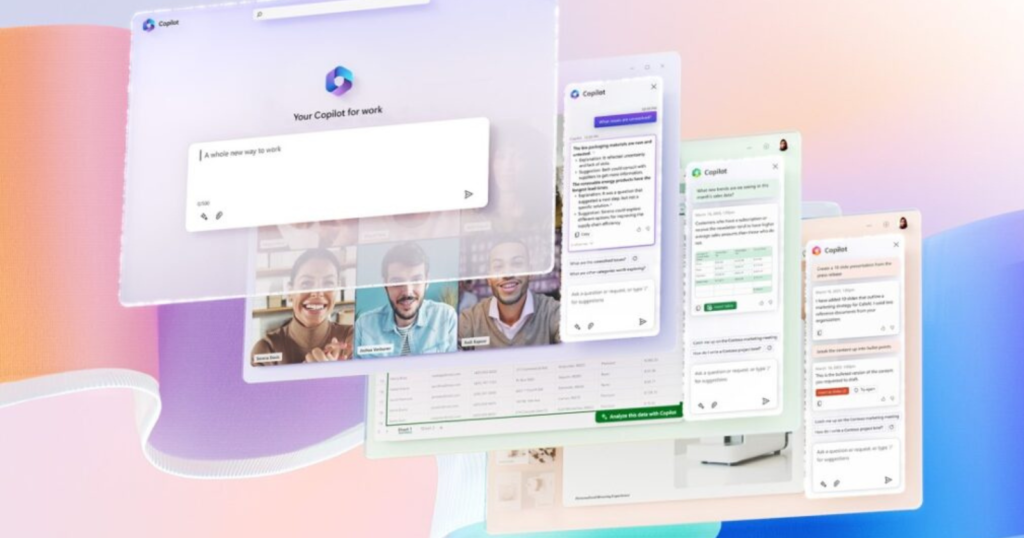
Practical Use Cases for Microsoft Copilot
Use Case 1: Creating a Marketing Campaign
A marketer can ask:
“Create a 3-month social media campaign for a shopping mall promoting family entertainment.”
Copilot can produce:
- Campaign themes
- Content ideas
- Suggested posting schedules
- Marketing copy
Use Case 2: Generating Business Reports
A manager can upload sales data and ask:
“Summarize the key performance trends and provide recommendations.”
Copilot can generate a concise executive report.
Use Case 3: Building Presentations
A user can request:
“Create a presentation on customer loyalty trends in retail.”
Copilot can generate slides, structure the content, and suggest visuals.
Use Case 4: Managing Meetings
After a team meeting, users can ask:
“What decisions were made and who owns each action item?”
Copilot can instantly provide a structured summary.
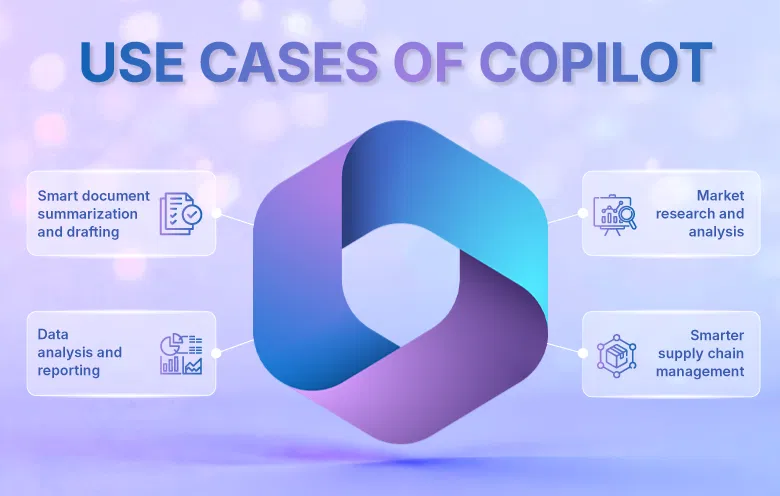
Is Copilot Free
The free version includes:
- AI-powered chat
- Writing and rewriting assistance
- Content generation
- Research support
- Brainstorming and ideation
- Image creation
- Access through web browsers, mobile apps, and Microsoft Edge
For many users, these capabilities are more than enough for everyday productivity and personal use.
Copilot Vs ChatGPT Vs Claude
Future of Work with Copilot
As AI becomes increasingly integrated into workplace applications, tools like Microsoft Copilot are expected to become standard productivity companions. Rather than replacing professionals, Copilot is designed to augment human capabilities by reducing administrative burden and enabling users to focus on strategic, creative, and high-value work.
Organizations that embrace AI-powered tools today are likely to gain significant advantages in productivity, efficiency, and innovation in the years ahead.
Conclusion
Microsoft Copilot is rapidly becoming one of the most valuable productivity tools available today. Whether you’re an individual seeking efficiency gains, a marketer looking to create content faster, or an organization aiming to improve workplace productivity, Copilot offers practical benefits that can be realized immediately.
What makes it especially compelling is its seamless integration with the Microsoft ecosystem. Instead of introducing another tool into your workflow, it enhances the tools you’re already using every day.
The future of work is not about replacing people with AI. It is about empowering people with AI. Microsoft Copilot is a perfect example of how artificial intelligence can help professionals spend less time on repetitive tasks and more time on creativity, strategy, and meaningful work.
Customer expectations are evolving rapidly, and businesses can no longer afford to operate with fragmented customer data.
Subscribe to our Newsletter to stay updated on all news related to this topic. If you have any questions, email us at mail@digital-doorway.com
Need Help?
Interested in scaling your business or get started in Digital Marketing?